This week's Swipe · August 12, 2026 · 5 min read
Search the work your AI agents already did
Search agent sessions, map code, review real failures, and turn search demand into a content plan.
This week starts with a local search engine for work scattered across your coding agents.
There is also a codebase map, a private inbox for projects and agents, and four workflows for design, code, product, and SEO work.
In this issue
- ▪
Belt, Continuity layer for AI agents. [sponsor]
- ▪
AgentsView, Search every agent session
- ▪
mq, Trim Markdown before prompting
- ▪
Graft, Map code before prompting
- ▪
Mailroom, Private email for AI agents
- ▪
Flashback, 127 years of design taste
- ▪
review-pr, Find bugs tests still miss
- ▪
Rude Q&A, Pressure-test a real decision
- ▪
How an SEO agent works, Build an evidence-led SEO loop
Give every coding agent the same reusable context. [sponsor]
Why: Agents often start each session without the useful context from earlier work. Belt surfaces relevant skills and knowledge as you work, so a good workflow can carry into the next task instead of disappearing with the chat.
Try: Install Belt in the coding agent you already use. Add one recurring workflow as a skill, then see whether Belt suggests it when a matching task appears in a later session.
Tools
Search the work your coding agents already did.
Why: AgentsView searches local histories from Codex, Claude Code, Cursor, and other coding agents. Across one main Codex thread and six research threads, it found every place a rejected tool had resurfaced, including messages, tool calls, and results.
Try: Limit the first import to one real project, then search for a decision or feature name you abandoned. Read the surrounding messages to recover why it was rejected before an agent proposes it again. Keep the optional cloud, AI-insight, and sharing features off if those sessions contain private work.
Give an agent only the section it needs.
Why: mq queries Markdown so an agent can load one relevant section instead of the whole file. It cut Swipe’s real AGENTS.md from 7,165 bytes to 609 while keeping every “Issue flow” rule.
Try: Use mq in read-only mode on the longest handbook or research file your agent sees regularly. Extract one named section, compare it with the source, then use the smaller result for a real task. Review any rewritten Markdown before saving because its update mode can change escaping.
Map a codebase before your agent starts wandering.
Why: Graft builds a local code map before an agent starts opening files. It mapped 230 real Swipe files into 2,522 symbols and 4,505 connections, although its first architecture answer ranked one unrelated result first.
Try: Run graft build and graft map on a copy of a real repository, then ask one question whose answer you already know. Check the returned files before trusting the map. Avoid graft init for now because open issues show that its generated ignore rule and agent configuration can be wrong.
Give every project an inbox your agent can use.
Why: Mailroom gives projects and agents separate addresses backed by one Gmail account. The live setup handles three domains, three inboxes, and five routes, with bounded tools for reading and drafts while automatic sending stays off.
Try: Start with one non-critical domain and one exact address rather than a catch-all. Forward it to a labelled Gmail address, then give your agent read and draft access through the CLI or MCP server. Keep approval and sending separate until the route, thread history, and From address all survive a real reply.
Skills & workflows
Give an agent a year of design history.
Why: Flashback routes an agent from a year of design history to a visual recipe and a list of clichés to avoid. Its 1981 “mutable broadcast identity” recipe produced this real Swipe social card, keeping the black brand panel fixed while the issue graphics changed.
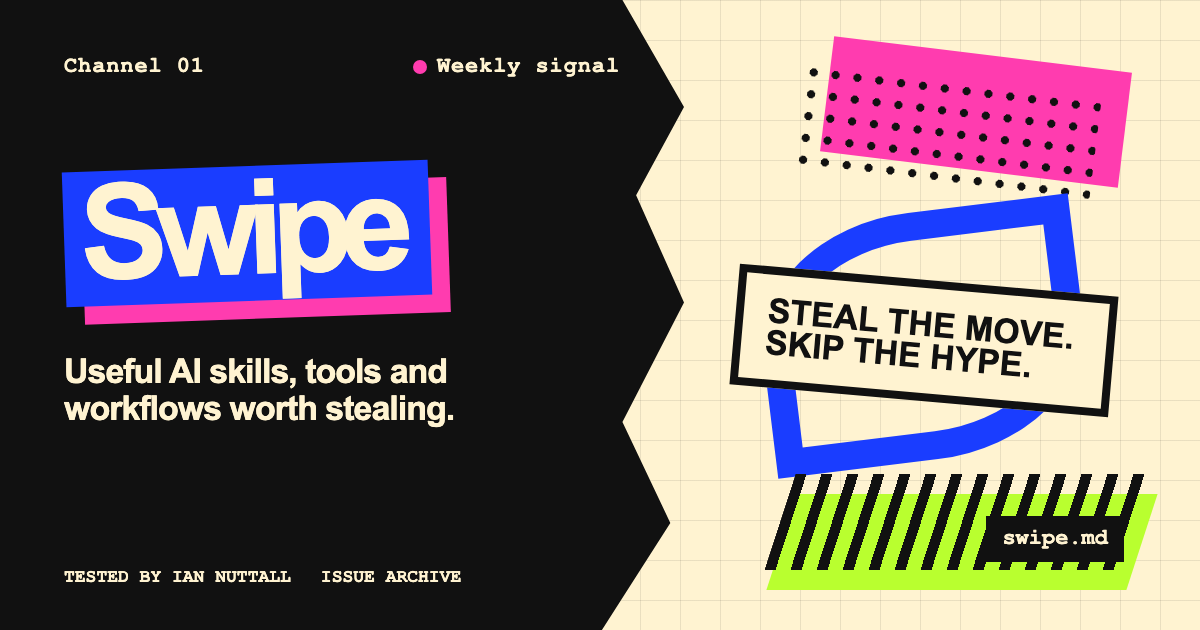
Try: Pick a year that matters to your product or audience and ask for two competing directions from that year’s research. Make the agent name the historical references and anti-clichés behind each one before it designs anything. Choose one direction, then apply it to a real page, ad, or social card at its final size.
Give your agent a stricter code-review contract.
Why: review-pr keeps only failures it can trace to changed code. Every finding needs an exact line, a concrete failure mode, and a fix; style comments and speculative warnings are rejected.
Try: Run it after your normal tests pass. Make the agent trace callers and state changes, then reproduce every important finding before you keep it. Drop style comments and any warning that cannot name the exact input or timing that breaks the code.
Turn a fuzzy plan into a decision with a cost.
Why: Rude Q&A turns a vague plan into a decision with a real cost. Its Opposite Test made Mailroom choose slower human approval over faster autonomous sending because one bad message can damage sender trust.
Try: Give the skill one decision you are genuinely willing to change. Name the smart option you rejected and the downside you accept. If the opposite sounds ridiculous or your choice has no cost, you have an aspiration rather than a decision.
Move from evidence to a measured change.
Why: This interactive guide shows an SEO agent finding, inspecting, proposing, verifying, and measuring work. Its real ilo.so audit used 180 days of Search Console evidence to choose what to build, verified all 115 pages after launch, then scheduled a clean 28-day comparison instead of claiming instant results.
Try: Follow the five-step loop on one real search opportunity: find, inspect, propose, verify, then measure. Keep crawl, Search Console, analytics, and live-result evidence separate so each claim can be checked.
Reach out
- Found a tool we should see? Send it over.
- Launching something? Sponsor an issue.
- Built something useful with AI? Tell us about it.
Plain .mdyou can paste straight into Claude, ChatGPT, or any agent.
Disclosure: Our picks are editorially independent. Each one has to give you something useful to swipe. Sponsors are labelled and never reviewed for pay.